Over the past few years, gas prices have experienced significant fluctuations. After reaching multi-year highs in the first half of 2022, with the national average peaking at about $5 per gallon, prices have shown a general downward trend. Looking ahead, forecasts suggest a continued decline in gas prices. The U.S. Energy Information Administration forecasts that retail prices for regular-grade gasoline will decrease to an average of about $3.09 per gallon in 2024.

So, is it time for a road trip? Maybe... Gas price trends are influenced by various factors, including global oil production, regional supply and demand, and geopolitical events. It's also noteworthy that prices tend to be higher on the West Coast, particularly in California, due to state taxes and environmental regulations.
Here are 5 apps and websites to help save money on gas on your next road trip:
-
Upside: Upside offers up to $0.25 off per gallon on gas in select states and provides cash-back offers on groceries and at restaurants. Users can save by paying with a card and then uploading a receipt to receive cash back via PayPal or check.
-
Waze: Known as a navigation app, Waze also helps users find the cheapest gas prices along their route. It includes features for setting preferred gas stations and types, and can direct users to stations offering "Waze-only" deals.
-
Gas Guru: This app shows cheap gas prices from the Oil Price Information Service, ensuring up-to-date information. Users can save their favorite locations for easy access to the best prices near them or compare prices close to home, work, or other spots.
-
AAA TripTik Travel Planner: This app not only helps you find gas stations with the best prices but also aids in planning road trips with up to 25 stops. Even non-members can use the trip planning and gas-finding features.
-
GasBuddy: In addition to helping you find the cheapest gas prices near you, GasBuddy has a handy trip cost calculator. And, if you use their prepaid card, you can save up to $0.25 per gallon.
Each of these apps offer a range of features for finding the best gas prices, earning cash back, and planning fuel-efficient routes. By leveraging these tools, you can make more informed decisions and potentially save a significant amount of money on fuel expenses.
Also, consider these tips and strategies to save money on gas during road trips:
- Proper Tire Inflation: Keeping tires properly inflated can enhance fuel efficiency. A single tire under inflated by 2 PSI, can increase fuel consumption.
- Membership Clubs: Joining warehouse clubs like Sam’s Club or Costco can offer access to lower gas prices.
- Reduce Car Load: Lightening your vehicle by removing unnecessary items, especially heavy ones, can improve gas mileage.
- Fuel Efficiency Habits: Avoid aggressive driving (high speeds, accelerating and braking hard), excessive idling, and maintain steady speeds. For example, if you anticipate being stopped for several minutes, shut off the car. Restarting the car uses less fuel than letting it idle for this time.
- Keep Windows Closed & Use AC Sparingly: Windows open, especially at highway speeds, increase drag and result in decreased fuel economy. Similarly, when the air conditioner is on it puts extra load on the engine forcing more fuel to be used.
- Plan Your Route: Use trip planning tools to find the most fuel-efficient routes and to locate gas stations with the best prices along the way
January 6, 2024. Photo by Sergey Tarasov (Unsplash).
Permalink 🔗
Ok, it's January 1st and I'm already dreaming about escaping the city for long hikes and campfire-cooked grub when the temperatures get warmer and the days get longer...
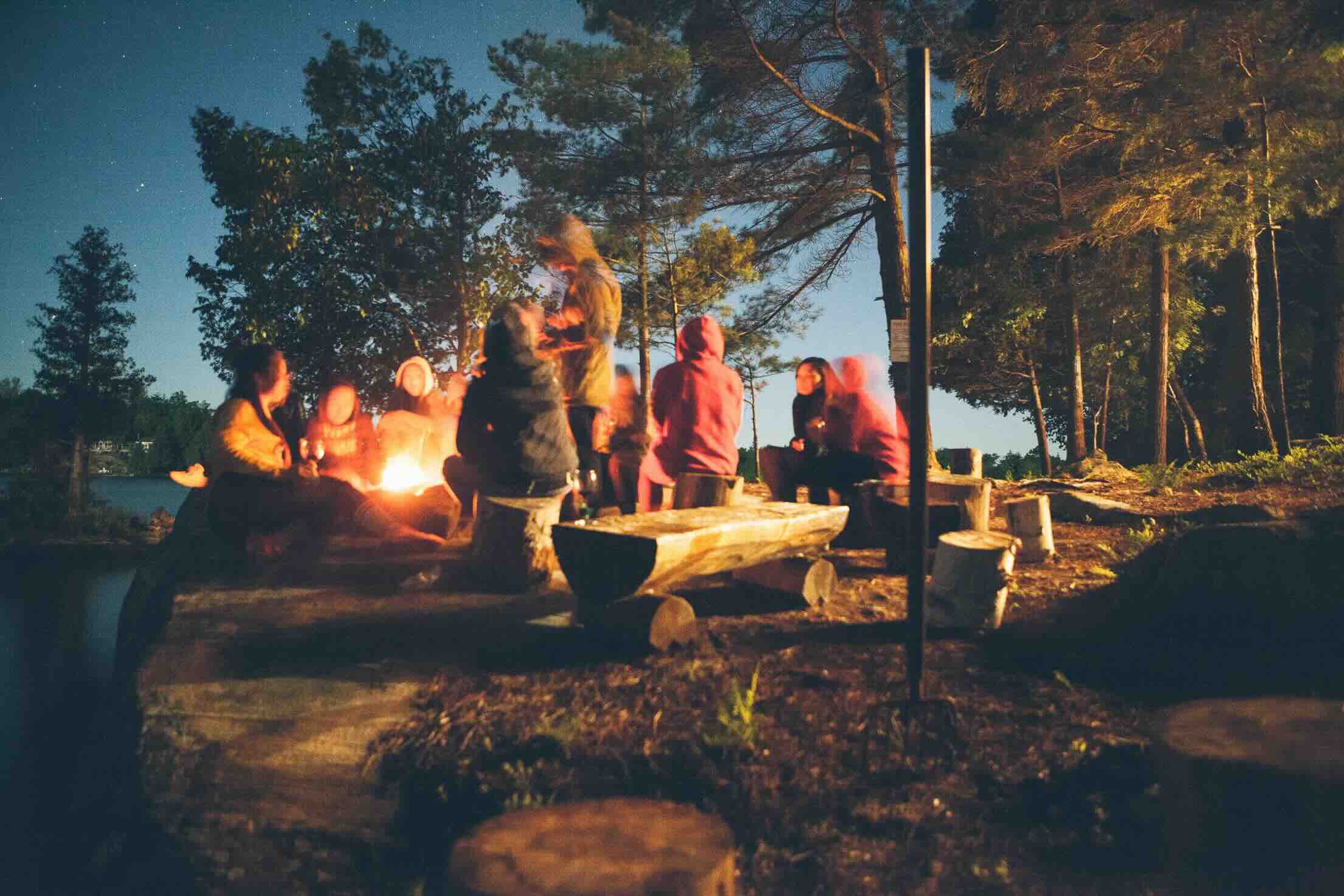
Planning ahead for camping during the summer months is essential, especially if you're thinking about visiting a national park or popular campground. Here are a few websites that can help you find and reserve campgrounds:
-
Recreation.gov: This is a one-stop resource for reserving campsites across various federal lands, including national parks, forests, and more. You can search for campgrounds by location, amenities, and availability.
-
ReserveAmerica.com: This site specializes in campground reservations, including for state parks. ReserveAmerica.com allows users to search for campgrounds by state, park, or site type, and you can also check availability for specific dates.
-
Campspot.com: Campspot is designed to make finding and booking private campgrounds and RV parks easy. The site offers a wide range of filters to help you find exactly what you're looking for, whether that's a pet-friendly site or campsites with Wi-Fi.
-
Hipcamp.com: Hipcamp is great for finding unique and less crowded camping spots, including on private land, vineyards, and in national forests. Hipcamp allows users to filter search results by various camping options such as tent camping, RV parks, cabins, and even treehouses.
For inspiration, here are 10 amazing campgrounds for groups of friends and family:
-
Yosemite National Park, California - Upper Pines Campground: Located in the heart of Yosemite Valley, this campground offers easy access to famous landmarks like Half Dome and Yosemite Falls. It's perfect for families looking for breathtaking scenery and a range of hiking trails from easy to challenging. Activities: Hiking, rock climbing, wildlife viewing, and photography.
-
Great Smoky Mountains National Park, Tennessee/North Carolina - Cades Cove Campground: Cades Cove is known for its rich wildlife (including black bears and deer), and an 11-mile loop road that's great for biking. It's ideal for groups interested in both nature and the history of the Appalachian area. Activities: Biking, hiking, wildlife spotting, and historical tours.
-
Acadia National Park, Maine - Blackwoods Campground: Nestled close to the rugged coastline, this campground provides easy access to the park's dense forests and rocky beaches. Families can enjoy the park's carriage roads and trails, as well as the stunning views from Cadillac Mountain. Activities: Hiking, tidepooling, kayaking, and stargazing.
-
Glacier National Park, Montana - Apgar Campground: Located near Lake McDonald, Apgar is the largest campground in the park and offers services like a visitor center, shuttle services, and boat rentals. It's a great basecamp for exploring Glacier's pristine forests, alpine meadows, and rugged mountains. Activities: Boating, hiking, wildlife viewing, and guided tours.
-
Olympic National Park, Washington - Kalaloch Campground: Perched on a high bluff overlooking the Pacific Ocean, Kalaloch is perfect for families who love the beach and ocean activities. The campground provides access to several nearby trails and the famous Tree of Life. Activities: Beachcombing, tidepooling, hiking, and ranger-led programs.
-
Joshua Tree National Park, California - Jumbo Rocks Campground: With its unique landscape filled with iconic Joshua trees and massive boulders, Jumbo Rocks offers an otherworldly experience. It's perfect for groups looking for challenging rock climbing and surreal desert landscapes to explore. Activities: Rock climbing, hiking, stargazing, and photography.
-
Zion National Park, Utah - Watchman Campground: Situated near the park's South Entrance, this campground provides easy access to the park’s shuttle system and the scenic Virgin River. It's a prime spot for friends looking to tackle the famous hikes like Angels Landing and The Narrows. Activities: Hiking, canyoneering, river trips, and biking.
-
Arches National Park, Utah - Devils Garden Campground: Located deep within the park, this campground offers direct access to several arches and rock formations. The stargazing here is phenomenal, making it a great choice for friends interested in astronomy or simply enjoying the night sky. Activities: Hiking, photography, and guided night sky programs.
-
Rocky Mountain National Park, Colorado - Moraine Park Campground: Set in a beautiful mountain valley, Moraine Park offers spectacular views and is a gateway to the park’s extensive trail system. It's ideal for friends seeking a mountain adventure with opportunities for both relaxation and exploration. Activities: Hiking, wildlife viewing, fishing, and horseback riding.
-
Yellowstone National Park, Wyoming - Madison Campground: Centrally located with access to the park’s main attractions, including Old Faithful and the Grand Canyon of the Yellowstone. This site is perfect for groups wanting to experience the full range of Yellowstone's geothermal wonders and abundant wildlife. Activities: Wildlife watching, geyser viewing, hiking, and fishing.
Wherever you're planning to camp and enjoy the wonders of nature in 2024, here's to a year of adventure and exploration!
January 1, 2024
Permalink 🔗
A while back, we posted about vinotherapy, chocolate treatments, and spiritual spa experiences. Over time, the spa industry has evolved and innovated, transitioning from traditional relaxation-focused services to more holistic, personalized and unique experiences.

As we look ahead towards the new year, many spas are continuing to embrace new approaches and redefine the spa experience. Here are 10 trends in destination spas that are shaping the future of wellness travel:
1. Eco-Conscious Retreats: In response to the growing awareness of environmental issues, spas are increasingly adopting eco-friendly practices. This includes using sustainable materials in construction, harnessing renewable energy, and offering organic, locally-sourced spa products. These eco-conscious retreats not only offer a serene environment but also the satisfaction of knowing that your relaxation doesn’t come at the expense of the planet.
2. Digital Detoxes: In an era dominated by screens, more spas are offering digital detox programs. These retreats encourage guests to disconnect from their devices and reconnect with nature and their inner selves. Activities such as yoga, meditation, and nature walks are central, helping visitors break free from the digital world’s constant buzz.
3. Personalized Wellness Journeys: Spas are increasingly offering personalized wellness programs tailored to individual health goals and needs. This bespoke approach often includes consultations with wellness experts who design specific treatments, diet plans, and exercise regimens, ensuring a holistic and effective wellness experience.
4. Mindfulness and Mental Wellness: There's a growing recognition of the importance of mental wellness alongside physical health. Spas are incorporating mindfulness practices and stress management programs. From guided meditation sessions to workshops on emotional well-being, these offerings aim to provide a comprehensive approach to health.
5. Integration of Technology in Wellness: While digital detox is a trend, there's also a contrasting trend of integrating cutting-edge technology into wellness. This includes virtual reality meditations, AI-driven health assessments, and app-based wellness programs. These technological integrations offer innovative ways to enhance relaxation and health monitoring.
6. Cultural Immersion Experiences: More spas are integrating cultural experiences into their offerings, allowing guests to immerse themselves in local traditions. This might include traditional healing practices, indigenous spa treatments, or locally inspired cuisine. These experiences not only enrich the spa experience but also provide a deeper connection to the destination’s heritage.
7. Focus on Immune Health: In the wake of the global pandemic, there's an increased focus on immune health. Spas are offering programs that include immune-boosting treatments, nutritional advice focused on strengthening the immune system, and exercises that enhance bodily resilience.
8. Outdoor Wellness Spaces: The appreciation for outdoor spaces has grown, with more spas creating expansive outdoor wellness areas. These include gardens for meditation, outdoor treatment rooms, and nature-based therapies. The healing power of nature plays a crucial role in these settings.
9. Family and Multi-Generational Wellness: Spas are becoming more family-friendly, offering programs that cater to all ages. This shift recognizes the importance of wellness for everyone, from children to seniors, and provides opportunities for families to experience wellness together.
10. Sustainable Food Philosophy: Finally, the connection between diet and wellness is being emphasized with a shift towards sustainable, nutritious food offerings. Spas are partnering with local farms, focusing on plant-based menus, and educating guests on healthy eating.
These trends reflect a broader shift in the wellness industry, highlighting a holistic approach to health that is both environmentally conscious and deeply personal. Whether you choose to stick with something more familiar or branch out and try something new, the evolvoing landscape of destination spas promises something special for every traveler. So, take your pick!
December 6, 2023
Permalink 🔗
In recent years, it's become increasingly popular for pet owners to bring their furry companions along on their journeys. The American Pet Products Association reports that over 37% of pet owners traveled with their pets in 2022, marking a notable increase from previous years. This surge in pet-inclusive travel has prompted airlines, hotels and others travel providers to reevaluate and expand their pet-friendly policies.

From in-cabin flight options for small animals to pet-friendly rooms and amenities at hotels, the industry is adapting to meet the needs of this growing segment of travelers. Below is a summary of some key elements of pet travel policies across major airlines and hotel brands including the fees for bringing pets along with you.
Personally, I'm a bit surprised at this phenomenon. Perhaps that's because of my No Pets Allowed lifestyle and homestead. I adore visiting my parents' dog and treat her as if she's my own kin, but not sure I love the idea a flight or hotel full of pets. Sounds too much like a Gary Larsen cartoon in living, panting, barking color. Please don't hold that against me. And, while it may not be popular opinion, there are several reasons why you shouldn't fly with pets that are worth considering.
Pet policies at hotels can vary widely, each brand and property having specific guidelines and fees:
Marriott Hotels: Marriott offers over 1,500 pet-friendly hotels across the U.S., but the policies, including pet fees and weight limits, vary from property to property. Most of their pet-friendly hotels allow domesticated dogs, cats, and, yes, birds, and fish. Notably pets are welcome at all Residence Inns, TownePlace Suites, and Element by Westin locations. Marriott makes it easy to search specifically for pet-friendly hotels and resorts.
Hilton Hotels: Hilton welcomes four-legged guests at over 5,000 hotels across the U.S. and Canada including at Hampton Inn, Home2Suites, Embassy Suites, and Hilton Garden Inn. While the exact policies vary, guests can generally expect to pay a $50-75 non-refundable fee per pet, per stay.
Wyndham Hotels: Wyndham's pet policy also varies by location. The standard policy at Days Inn by Wyndham welcomes one or two pets of any size, with fees ranging from $0 to $50 per night. Similarly, Super 8 by Wyndham generally allows two pets up to 50 lbs for a fee of up to $50 per pet, per night.
InterContinental Hotels (IHG): Not all IHG properties are pet-friendly, and their policies, including pet fees and weight limits, differ by location. However, pets are welcome at all Candlewood Suites, Staybridge Suites, and Kimpton Hotels. Candlewood Suites typically charges a non-refundable fee based on the length of stay, with fees up to $75 for 6 nights and $150 for longer stays.
Choice Hotels: Generally, Choice Hotels allows two dogs per room, subject to specific weight restrictions and fees (ranging from $10 to $75 per pet, per night). For instance, Comfort Inn & Suites and Quality Inn's pet policies welcome up to two pets, with weight and breed restrictions, and charge a nightly fee per pet.
Hyatt Hotels: Hyatt allows a maximum of two pets per room, with weight restrictions typically at 50 pounds. The pet policy and fees vary across different properties. For example, Hyatt Place locations welcome two dogs with a combined weight up to 75 lbs for a fee of $75 for stays up to six nights and $175 for longer stays.
Pet policies and fees of the 5 largest U.S. airlines:
Alaska Airlines: Alaska offers a couple options for what they call "Fur-st Class Care". Pets can travel in the passenger cabin for a fee of $100 each way. This is subject to space availability, plane size, and restrictions specific to travel to Hawaii and international destinations. For those preferring to have their pets in the climate-controlled baggage and cargo compartments, Alaska charges a fee of $150, or $100 for specific categories like travel within Alaska, active duty U.S. Military, or U.S. Military dependents on travel orders. In terms of cabin accommodation, Alaska can accommodate one pet in first class and five in the main cabin, with the requirement that pets must remain inside their carriers at all times during the journey.
American Airlines: American's pet policies restrict in-cabin pet travel to cats and dogs only. Each passenger is allowed to bring up to two pets that are at least 8 weeks old and do not exceed 100 lbs including the carrier. The in-cabin/carry-on pet fee is $125 one-way, and the pet plus container must weigh no more than 20 lbs combined. For pets traveling in the cargo area or as checked baggage, the fees vary and are confirmed at the time of booking.
Delta Airlines: Delta's pet policies permit small dogs, cats, and household birds in the cabin for select destinations. All pets must fit into a pet carrier and meet age requirements depending on the type of travel: at least 10 weeks old for domestic travel, 16 weeks old if traveling to the U.S. from another country, and 15 weeks old for travel to the EU. The carry-on pet fee is $95 per kennel for travel to or from the U.S., Canada, Puerto Rico, or the U.S. Virgin Islands, and $200 for international flights. However, for certain destinations, pets must travel as cargo and cannot be brought into the cabin.
Southwest Airlines: Southwest's pet policies allows small domestic cats and dogs that are at least 8 weeks old to travel in-cabin under the seat in front of you. The pet fare on Southwest Airlines is $95 per one-way per pet carrier. It’s important to note that pets must remain inside their carriers throughout the flight.
United Airlines: United offers detailed rules and recommendations for traveling with pets. The fee for this service is $125 each way for domestic flights and $200 for international flights. To travel with United, pets must be at least 2 months old for domestic flights and 4 months old for international flights. Unfortunately, United does not allow pets to travel in the cargo hold.
In summary, while all the leading hotels and airlines offer pet-friendly options, the fees, weight limits, and the types of pets allowed vary significantly. To avoid any confusion or issues while traveling, it's important to confirm the specific pet policy of your planned hotel and airline well in advance.
Renting a car? Leading car rental companies, including Hertz and Avis, typically have pet-friendly policies that allow customers to travel with their pets. These policies usually permit pets in vehicles without additional fees, but they place the responsibility for any damage caused by the pet on the renter. For instance, Hertz welcomes pets in their cars and allows them to be added to the reservation in advance. Most car rental companies require that vehicles be returned clean and free of pet hair and odors to avoid cleaning fees, which can be substantial (up to $450 in the case of Avis). It's important to note that while these policies are generally consistent across company locations, there have been instances of individual locations not fully complying with the corporate policies.
Staying at a vacation rental home? If you're renting a vacation home on Airbnb, VRBO or similar, the pet policies are typically at the hosts' discretion. Airbnb permits hosts to detail their pet policies in the “house rules” section of their listing and allows them to charge a one-time cleaning fee for pets. Service animals are an exception, as they must be accepted by hosts in most circumstances. Similarly, VRBO mandates the acceptance of service animals in all properties in the U.S., regardless of the host's pet policy. For non-service animals, guests can filter for pet-friendly properties on VRBO, but they should be aware of any additional fees or specific rules set by the host. In both platforms, the flexibility in pet policies means that guests traveling with pets need to review individual listing details to ensure compliance with the host's requirements. For example, our friend Dave R. shared his experience traveling with their dog: "We took our dog (mid-sized black lab) with us for extended family vacation on Oregon coast. It was fun being able to play with the dog on the beach and not to have to pay for putting her in the kennel. The downside is that when we went out for meals, we had to leave her in her crate for long periods of time as required by the landlords which didn't make her very happy."
Looking for pet-friendly destinations and activities? BringFido maintains a directory of 10s of thousands of pet-friendly activities, events and restaurants around the world.
Shopping for pet-travel gear and accessories? Finally, as it's holiday season, if you're looking for a gift for your pooch, check out Rover's Travel Store which is full of great products for your next trip.
December 3, 2023
Permalink 🔗
Life is not without risks. But for those who hike the extra mile, grip that extra chunk of cliff while rock-climbing, or sail, paddle, or kayak the less traveled waterways of the world, your life of adventure likely teeters on the edge of danger from time to time.
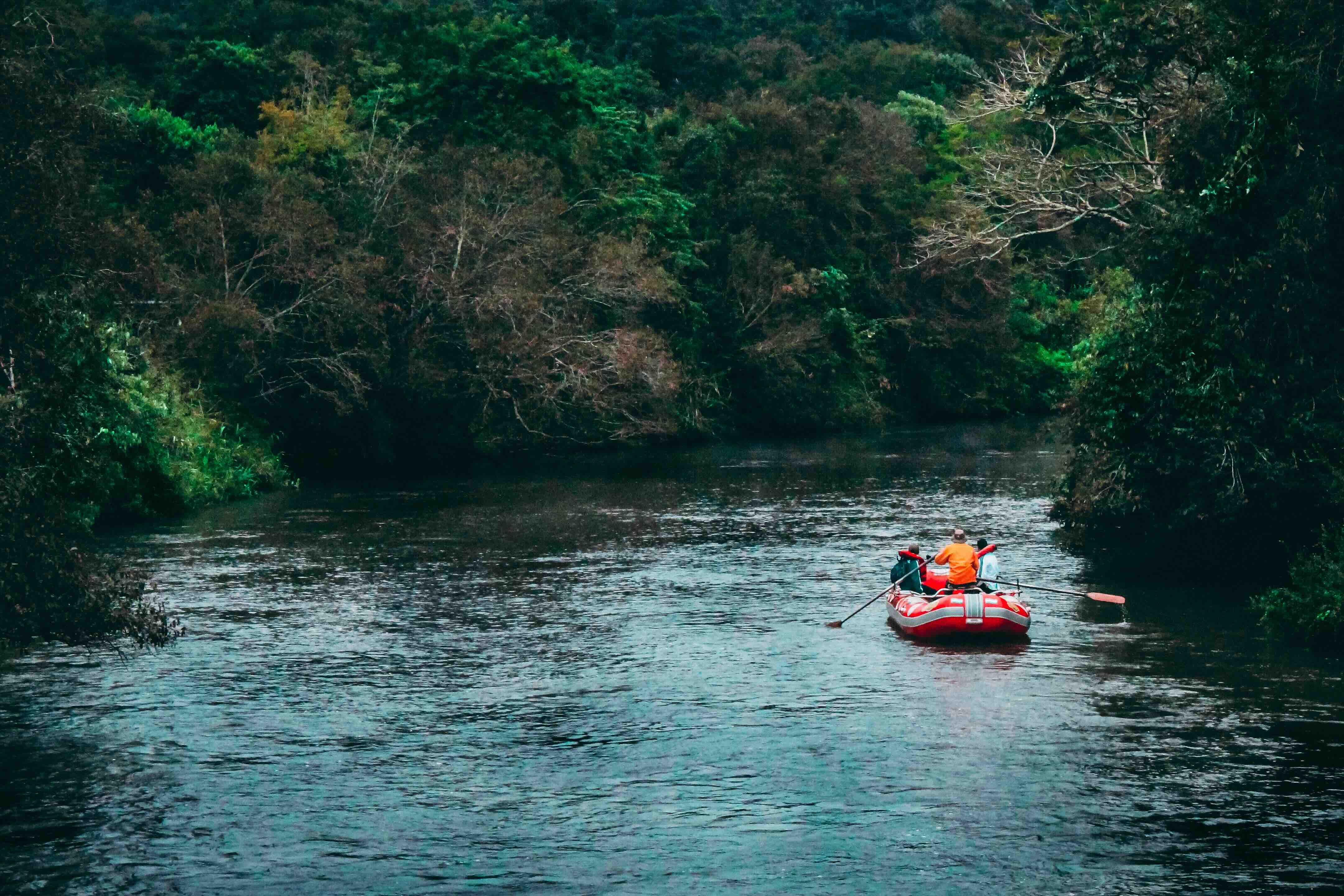
Richard Bangs, adventure travel veteran, award-winning author and filmmaker, and founding partner ground travel company Mountain Travel-Sobek, writes about the inherent risks in any adventure. He contemplates how far you should go to risk your life in seeking lifetime thrills, and when to consider promptly removing your adrenaline-powered foot from the pedal.
Bangs' latest book, "The Art of Living Dangerously" captures the essence of what it means to embrace life's risks and adventures. A seasoned adventurer, Bangs weaves a compelling narrative that blends personal anecdotes with insightful reflections on the nature of risk-taking and the pursuit of the extraordinary. He transports readers to some of the world's most remote and challenging landscapes, while delving into why we seek adventure. The book is not just a catalogue of daring exploits; it's a thoughtful exploration of how stepping out of our comfort zones can lead to personal growth and a deeper understanding of the world.
These days, I'm a fairly tame person with spontaneous adventures when life gets too dull or predictable. Adventure travel for me includes river rafting, kayaking, hiking, mountain biking, sailing with wind (as opposed to floating on calm waters, which is also enjoyable with a tall, cool beer in hand).
For adrenaline junkies out there, I say good luck. For occasional adventurers like myself, I also say good luck. The only certainty on any adventure vacation is your decision to go for it. The rest is up to the whims of fate (or the skill of an experienced tour guide, if you're on a guided expedition). How far are you willing to go for an adventure?
December 1, 2023
Permalink 🔗
Ski trail maps have certainly evolved over the years. Historically trail maps were simple, hand-drawn illustrations. Today's digital snowsport trail maps offer high-resolution, 3D representations of ski areas providing skiers and snowboarders with a more realistic and interactive view of the terrain and the ability to explore ski resorts with unprecedented detail and accuracy.
These digital maps offer features like real-time location tracking, route planning, and even augmented reality experiences. This evolution not only enhances the skiing experience but also contributes to safer navigation and better planning for skiers and snowboarders. And the integration of digital maps with apps and wearable technology has further personalized the skiing experience, allowing users to track their individual performance.
Two popular apps that we've chosen to highlight are FATMAP and Slopes. Each of these apps offers unique features catering to the needs of winter sports participants, from casual resort skiers to avid backcountry adventurers. (Of course, there are dozens of other apps out there to consider.)
-
FATMAP stands out for its detailed, high-resolution 3D maps that provide an immersive view of ski terrain. This app is designed to aid in thorough and safe route planning, especially valuable for backcountry skiing where understanding the terrain is crucial. It offers tools to assess gradients, altitudes, and aspects of the terrain, aiding skiers in making informed decisions. FATMAP also allows users to plot and record their routes, contributing to a rich database of shared experiences. Its offline map access is particularly useful in areas where internet connectivity is limited.
-
Slopes is a comprehensive tracking app for skiing and snowboarding, offering detailed statistics and maps for select resorts. It automatically detects when the user is on a run or a lift, which streamlines the tracking process and ensures accurate data collection without manual intervention. Slopes is also known for its seamless integration with the Apple Watch, making it easier for users to access information on the go. The app provides a social networking feature, allowing users to connect and compare their skiing statistics with friends. This community engagement adds a fun, competitive edge to the skiing experience and is a great addition to a group trip.
Now, if all this tech talk leaves you feeling a bit nostalgic for old school maps, Skimap.org is the site to visit. Skimap.org has an extensive collection of over 15,000 ski maps from around the world, with content that dates back 90 years. For example, check out this 1969 trail map from Crystal Mountain, Washington:

November 23, 2023.
Permalink 🔗
Prepping for winter with deep lunges to get those quads in shape? Waxing your skis? If your idea of adventure includes snowflakes and slopes you have a lot of options. In fact, there are over 400 ski areas in operation across 37 states. But, which are the best?
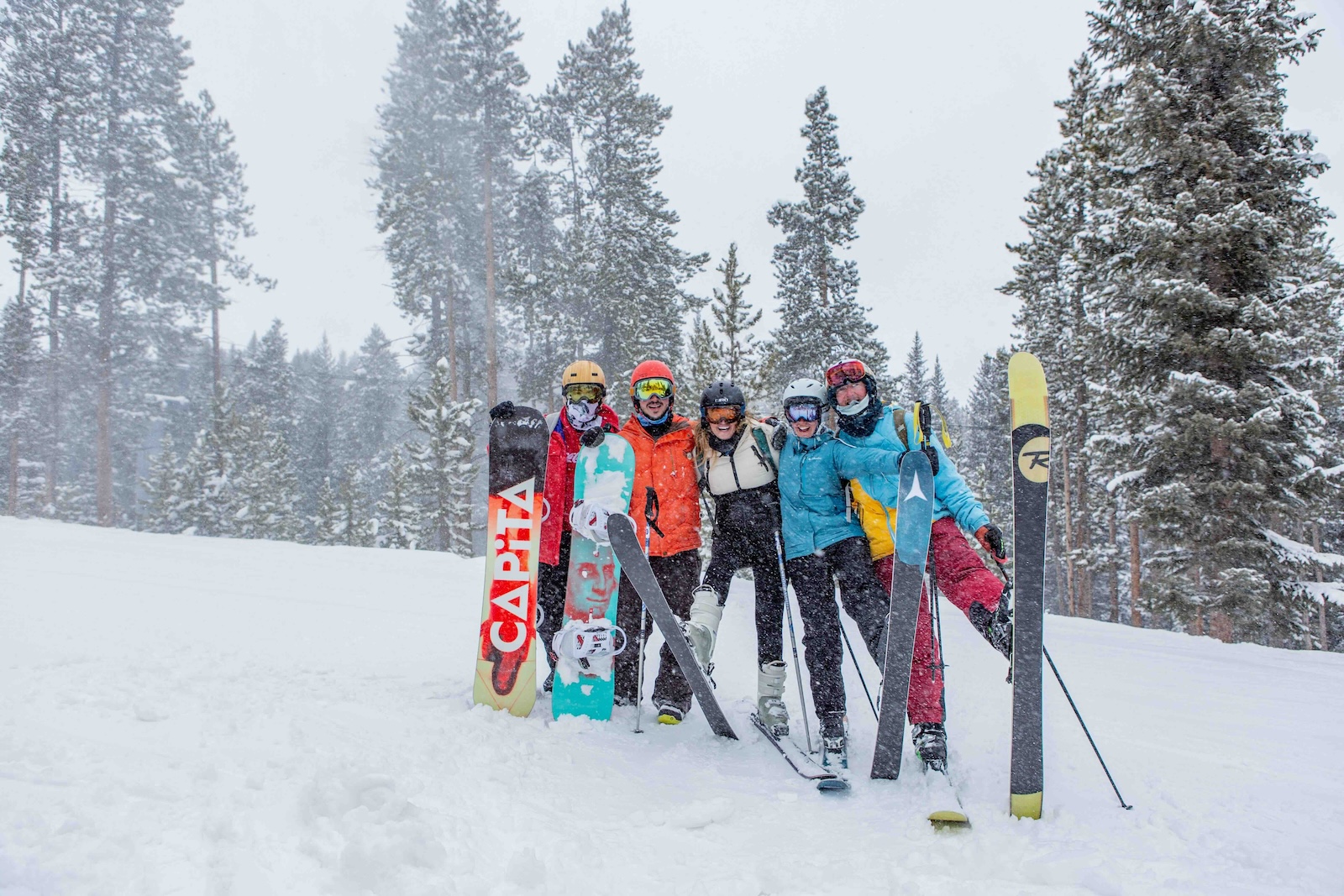
Over the past decade+, select ski resorts like Vail, Breckenridge, Aspen Snowmass, Park City, Jackson Hole, and Telluride have consistently remained among the most highly rated destinations. These resorts have maintained their popularity due to a combination of factors including their terrain, snow reliability, lodging and dining options, and non-ski activities. Meanwhile other ski destinations have seen a rise or fall in their rankings and popularity due to several factors including:
-
Investment in Infrastructure: Resorts that invest in upgrading their lifts, expanding terrain, or enhancing visitor amenities tend to attract more visitors.
-
Weather and Climate Change: Snowfall patterns impact the popularity of ski resorts. Resorts that consistently receive ample snowfall remain popular, whereas those with less predictable conditions might see a decline.
-
Marketing and Branding: Effective marketing strategies can boost a resort's popularity, especially when targeting new demographics or international visitors.
-
Economic Factors: For example, resorts that offer more affordable options or package deals might see increased popularity in times of economic downturn.
-
Access and Connectivity: The ease of access to a resort, including proximity to airports and major cities, can affect its popularity.
-
Global Events: Events like the COVID-19 pandemic dramatically impacted travel and tourism, leading to shifts in the popularity of destinations based on travel restrictions and health concerns.
The National Ski Areas Association estimates that roughly 12 million people visited a U.S. snowsport resort during the 2022/2023 season but, from our research, there isn't a definitive source of ski resort popularity over time.
Ski magazines (e.g., SKI, and Snow), travel publications (e.g., Travel + Leisure and Conde Nast Traveler), and others regularly release rankings and reviews of ski resorts. These rankings are often editorial reviews or based on reader surveys and cover various categories like snow quality, terrain, and family-friendliness.
Having reviewed all of the above, here's our list of the top snowsport destinations for groups:
-
Vail, Colorado: Known for its extensive terrain, advanced lift system, and luxurious village atmosphere.
-
Aspen Snowmass, Colorado: Celebrated for its four diverse ski areas, high-end amenities, and lively town.
-
Park City, Utah: Praised for its large skiable area, quality of snow, and proximity to Salt Lake City.
-
Telluride, Colorado: Often highlighted for its challenging terrain, stunning scenery, and historic charm.
-
Breckenridge, Colorado: Popular for its high altitude, varied terrain, and vibrant town life.
-
Deer Valley, Utah: Consistently rated high for its customer service, grooming, and upscale amenities.
-
Jackson Hole, Wyoming: Known for its expert terrain, iconic runs like Corbet's Couloir.
-
Mammoth Mountain, California: Recognized for its lengthy season, diverse terrain, and accessibility from major California cities.
-
Beaver Creek, Colorado: Often included for its family-friendly atmosphere, high-quality snow, and luxury experience.
-
Whistler Blackcomb, British Columbia: Regularly recognized for its vast terrain, vibrant village life, and consistent snow quality.
Please let us know if we're missing your favorite ski or snowboard destination. Perhaps Heavenly or Killington? And check out our Ski Guide for Groups for a ski trip checklist and other planning resources.
November 22, 2023
Permalink 🔗
As the days get shorter and the temperatures colder, it's a great time to start planning (or perhaps dreaming) of Spring and Summer adventures and travels. For inspiration, we're revisiting this story of two amazing weeks boating in the San Juan Islands. We also added resources to help you plan, or simply imagine, a glorious vacation on the water.
What a trip! Bird watching. Kayaking. Whales diving under our boat (and me in tears with a mixture of fear and awe). Dining like royalty on freshly caught crabs. Anchoring and tying up to docks around the islands. Meeting other boaters and reveling in the comaraderie. Feeling more relaxed than I have in years. Meeting up with family and dining with friends on various stops along our cruising route. Ah, that's the life. Now, back to reality and awaiting the Visa bill.
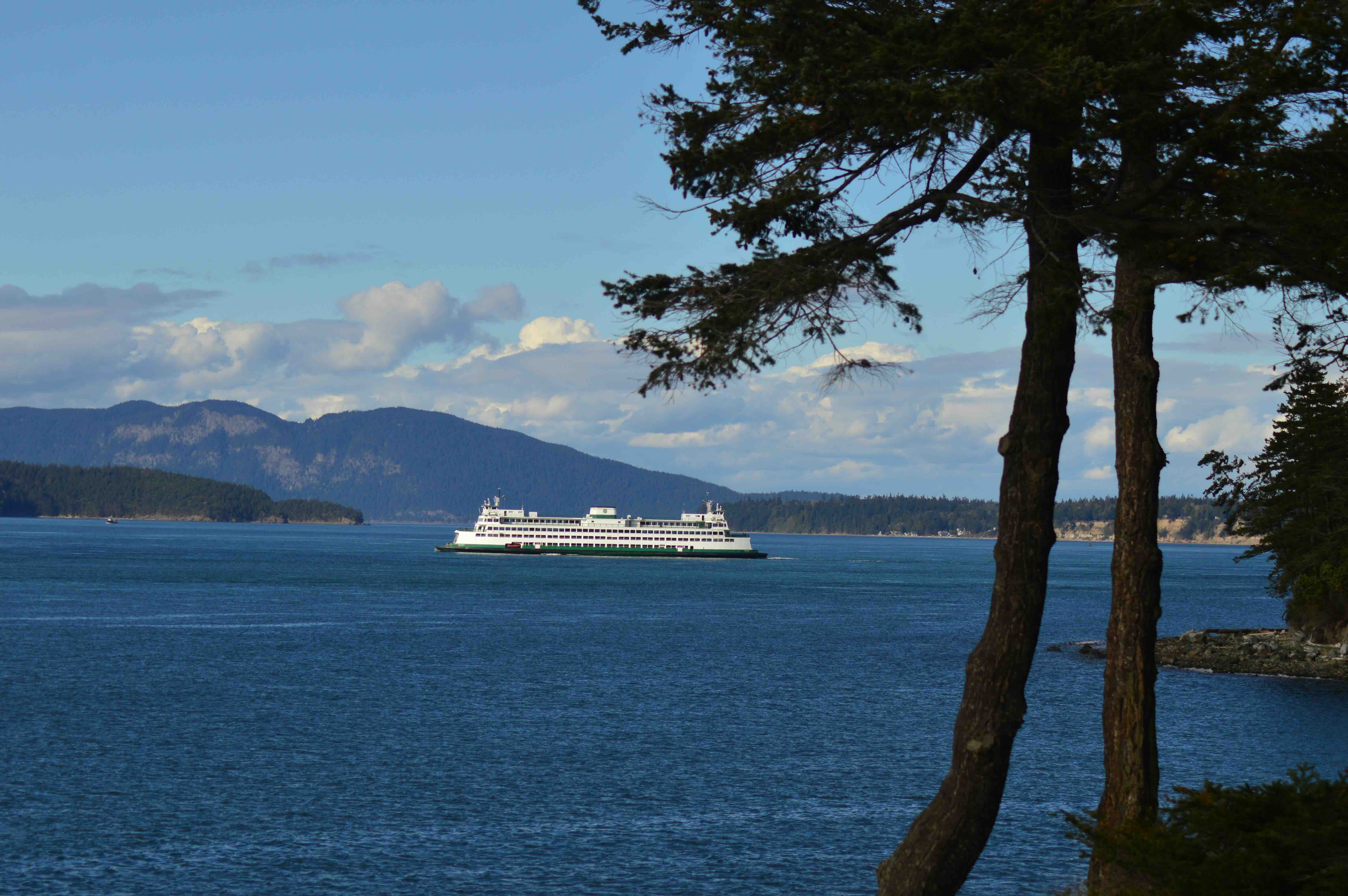
Each island has a unique flavor, as does each harbor and bay. Although the charm of Deception Pass State Park (on Whidbey Island), Friday Harbor and Roche Harbor (both on San Juan Island), Fisherman's Bay and Spencer Spit (both on Lopez Island) is specific to each locale and its inhabitants, I found Sucia Island the most mesmerizing.
Sucia is a state park unto itself without permanent residents, a fossil bed, a tranquil respite from urban sprawl, a sanctuary for birds, vultures, seals, and very possibly a mouse or two. It offered what I needed most - silent nights and a bounty of nature to explore. The abundant plant and tree diversity was pointed out to me by my forester companion (who also doubled as skipper and chef - what would I do without him?!). He identified species as we hiked along the 15 miles of trails around the island. I believe there were approximately 14 tree species alone; each time we saw a new one, our heads would tilt back to find the top (I was looking at the beauty of it all while he analyzed the tree health and age). Madrona, firs, cedar, oak, maple, juniper, aspen, alder, yew - the list seemed as endless as the seascape, viewable from various bays, inlets, rocky embankments, and beaches around the island. Sucia is a wonderland for nature lovers. I know I'll return.
Quick tips for boating trips:
- Take a wearable PFD (i.e., a personal flotation device) and wear it.
- Learn how to tie knots before the boating or sailing trip.
- Practice at least once jumping off the boat to the dock to secure the lines (when docking) so the vacation isn't your first time doing it (this is both for safety and to avoid looking like a novice at the docks when your boat cruises in).
- If you're not the skipper, be a great crew member by being alert for instructions and thinking ahead to anticipate problems and needs.
- In peak boating season, plan ahead for places you must see by making reservations (and wing the rest - leave room for flexibility based on weather and whim).
Ready to go but don't own your own boat?
Chartering a boat can be a wonderful experience, offering unique opportunities to explore coastal regions, islands, and open waters. Here are three well-regarded marketplaces where you can find boats to charter with and without crews:
-
Boatsetter: Boatsetter is a popular platform for boat rentals and charters. It offers a wide range of options, from small boats to luxury yachts, and includes additional services like hiring a captain.
-
GetMyBoat: This is another well-known boat rental and charter service, often referred to as the "Airbnb for boats." GetMyBoat provides access to thousands of boats in over 180 countries. You can find everything from kayaks and sailboats to luxury yachts.
-
Sailo: Sailo specializes in boat and yacht rentals and is known for its excellent customer service. They offer a range of boats, including sailboats, motorboats, and luxury yachts. It also provides options for both bareboat and skippered charters, catering to both experienced sailors and those who prefer a crewed experience.
When considering a boat charter, always ensure to check reviews, compare prices, and understand the terms and conditions of the rental, including safety procedures and insurance coverage.
Whether you charter a boat, take a cruise, or book a sunset sail as part of a group trip, boating is a great way to go. And many cities and destinations offer fun and accessible ways to enjoy time on the water without requiring any prior boating skills. However you go, getting out on the water offers a unique perspective.
This story was originally published September 2006. Updated November 18, 2023.
Permalink 🔗
Parents can spoil themselves when traveling with infants or toddlers by renting baby supplies, such as cribs high chairs and strollers, rather than lugging them through airports or hassling with them en route.
Here are a few companies that rent baby supplies for travelers:
-
BabyQuip: This company offers a wide range of baby equipment for rent, including cribs, strollers, car seats, toys, and more. They ensure all items are safe by monitoring them for recalls and expirations. BabyQuip provides services such as delivery, setup, and pick-up, making it convenient for traveling families.
-
Traveling Baby Company: Offering a range of baby gear rental services, this company makes it easy for parents to access items such as cribs and strollers for a hassle-free trip. They operate in 37 U.S. cities and states, including popular destinations like Anaheim/Disneyland, Miami, Orlando, and Puerto Rico. They also provide options for self pick-up and drop-off.
-
Baby's Away: Operating in over 90 locations throughout the USA, Baby's Away provides clean and quality baby gear like cribs, car seats, strollers, high chairs, and toys. They have been in the business for over twenty-five years, catering to families traveling to various major resorts and other destinations in the U.S.
While it may not solve all your problems ("Are we there yet?"), these companies offer a practical and stress-reducing way for parents to travel with young children, ensuring that the necessary baby gear is readily available at their destination.
November 18, 2023
Permalink 🔗
The holidays are fast-approaching, a prime time for family gatherings. And one thing is a given at family events of any size: food. Organizing meals for family reunions and groups of friends can be delightful but also stressful and challenging.

Here are five tips to help you manage this smoothly:
1. Plan Ahead with a Menu: Start by creating a menu that caters to various tastes and dietary restrictions. If appropriate for your group, include a mix of vegetarian and gluten-free options to ensure everyone has something they can enjoy. Planning the menu in advance allows you to organize shopping lists and prepare some dishes ahead of time.
2. Use Sign-up Sheets for Potluck Style: If you're opting for a potluck, use digital sign-up sheets like Google Forms or Sheets. This helps to avoid duplicate dishes and allows family members to showcase their specialty recipes. It also distributes the cooking load, making it easier for everyone.
3. Bulk Cooking and Prepping: For main dishes, consider recipes that can easily be made in large quantities, like casseroles, stews, or pasta dishes. Preparing some components of the meals a day or two in advance can also reduce stress. Items like desserts can often be prepared in advance.
4. Set Up Stations: Organize the dining area with different stations for appetizers, main courses, desserts, and drinks. This helps to manage the flow of people and reduces crowding. Stations can be themed (e.g., a kids' station with child-friendly foods) to make the dining experience more fun.
5. Consider Dietary Needs and Allergies: Make sure to label foods, especially if they contain common allergens like nuts, dairy, or gluten. Offering a variety of choices ensures that those with dietary restrictions or allergies can still enjoy the meal.
The key is in planning and communication. Make sure everyone is aware of the plan and, as appropriate, their responsibilities. Our post on the art of delegation may also be helpful.
Ready to get started planning your group gathering? Here are a few excellent sources for recipes that can cater to a wide range of tastes and dietary needs:
-
Allrecipes.com: This website is a treasure trove of recipes from around the world. You can find dishes that suit a variety of dietary needs and preferences, including vegetarian, vegan, gluten-free, and kid-friendly options. The user reviews and ratings are particularly helpful in choosing the best recipes.
-
Food Network: Known for its celebrity chefs and cooking shows, the Food Network's website offers a vast collection of recipes. These range from simple, quick meals to more elaborate dishes. The site also provides cooking tips and video tutorials, which can be especially useful for trying out new or complex recipes.
-
Epicurious: This site is well-regarded for its sophisticated and diverse range of recipes. It's great for finding unique dishes that can add a touch of elegance to your gathering. Epicurious also includes user reviews, and many recipes come with step-by-step instructions and photos.
-
Taste of Home: Focused on home cooking, this website offers a plethora of recipes that are perfect for large family gatherings. The recipes often include options for large batches, which is ideal for a family reunion setting.
Remember, the essence of holiday gatherings is to create an atmosphere of warmth and joy. The goal is to create happy memories and enjoy the company of family and friends.
Happy Holidays and Bon Appetit!
November 16, 2023
Permalink 🔗
Where do the expert golfers go? You know – the smooth swingers with enviable handicaps. Don’t we all long to tee off at a place of undisputed beauty and repute? And nothing’s better than sharing such a grand moment with friends.

Here’s our list of group-friendly golf meccas for you to plan a golf get-away with friends and put your link lovin’ ways to practice.
Arizona: The greater Phoenix and Scottsdale region is one of the biggest golf areas in the U.S. due to both the quality and quantity of courses. Plus, there’s plenty of après golf entertainment - restaurants, nightlife, spas and more - making it an ideal place for group trips. Here are five highly regarded courses in the area. Each of these courses offers something a bit different, whether it's a PGA-level challenge, scenic vistas, meticulous course conditions, or pure natural beauty. Note, the peak season for golf in this area is during the cooler months, roughly October to May.
-
TPC Scottsdale – TPC Scottsdale offers two courses, the Stadium Course and the Champions Course. The Stadium Course is a must-play for its famous 16th hole and overall PGA Tour experience.
-
Troon North Golf Club – This club offers two 18-hole courses, the Monument and the Pinnacle, both of which are highly regarded. They are known for their beautiful desert landscapes and challenging play.
-
Grayhawk Golf Club – With the Raptor and Talon courses, Grayhawk is a great option for all skill levels. The courses are immaculately maintained and offer beautiful views of the McDowell Mountains.
-
We-Ko-Pa Golf Club – We-Ko-Pa also has two courses: Cholla and Saguaro. Both courses offer stunning views free of any homes or urban development, providing a pure golf experience.
-
The Boulders – The Boulders is renowned for its North and South courses which feature a backdrop of dramatic rock formations and desert landscape.
Hawaii: The Aloha State is a brilliantly natural spot for golf. With the sea as scenery (and course hazard) and a naturally hilly landscape to challenge any golfer, it’s no wonder Hawaii boasts so many glorious courses. Here's a handful of the best courses across the Hawaiian Islands to consider:
-
Kapalua Plantation Course (Maui) - The Plantation Course is renowned for its dramatic ocean views and is the host of the PGA TOUR's Sentry Tournament of Champions. The course is a challenge for all levels of golfers and is known for its unique, undulating terrain.
-
Nanea Golf Club (Big Island) - Although more exclusive and harder to get into (as it's a private club), Nanea has stunning views and offers a world-class golf experience.
-
Mauna Kea Golf Course (Big Island) - Designed by Robert Trent Jones, Sr., Mauna Kea Golf Course has been revered since it opened in 1964. The course offers stunning ocean views from nearly every hole and is known for its signature 3rd hole where golfers must tee off over an ocean cove.
-
Princeville Makai Golf Club (Kauai) - The Makai Golf Course at Princeville is one of the most scenic golf courses in the world. With the Pacific Ocean as a backdrop, it offers a series of oceanfront holes that are both beautiful and challenging.
-
Wailea Golf Club (Maui) - Wailea offers three 18-hole courses: the Blue, Gold, and Emerald courses. The Emerald Course is often cited as friendly for a wide range of skill levels, featuring stunning ocean views with less demanding tee shots.
Hilton Head, SC: Hilton Head Island, just off the coast of South Carolina, serves as a fairway haven to numerous golf courses. With the first course opening in 1961, Hilton Head has earned its title "The Golf Island," through careful craftsmanship. But there's more to Hilton Head than just golf. The island offers beautiful beaches, bike paths, restaurants, and other activities, making it an excellent choice for groups that might also include non-golfers or for days when you want a break from the course.
-
Harbour Town Golf Links at Sea Pines Resort - Perhaps the most famous on the island, this course is home to the RBC Heritage PGA Tour event. With its iconic lighthouse at the 18th hole and designed by Pete Dye and Jack Nicklaus, it is a must-play for any golfer visiting the island.
-
Heron Point by Pete Dye at Sea Pines Resort – This course offers a challenging but fair round of golf. It's a great complement to Harbour Town in a resort that offers multiple top-notch courses.
-
Atlantic Dunes by Davis Love III at Sea Pines Resort – This course is a complete reconstruction of the historic Ocean Course, the first built on Hilton Head Island, and has been transformed into a modern masterpiece with native dunes and indigenous flora.
-
Palmetto Dunes (Robert Trent Jones Oceanfront Course) - Palmetto Dunes offers three courses, but the Robert Trent Jones Oceanfront Course is the most notable. It has one of only two oceanfront holes on the island and offers a good balance of beauty and challenge.
-
The Arthur Hills Course at Palmetto Dunes - Another course within the Palmetto Dunes Resort, the Arthur Hills Course stands out for its beautiful layout, incorporating rolling fairways with plenty of water hazards to navigate around.
Myrtle Beach, SC: This self-proclaimed Seaside Golf Capital of the World lives up to its name with 100 golf courses laid out over undulating low country land and the majority of the Myrtle Beach golf courses being open to the public. Plus, many host professional and amateur tournaments. If you want a golf challenge and picturesque beauty, Myrtle Beach offers both with courses crafted by a host of world-renowned architects. This giant outdoor playground is also great for families. With 60 miles of beach and numerous hotel and resort options, you could also plan a family reunion here and incorporate golf into the mix.
-
The Dunes Golf and Beach Club – This Robert Trent Jones-designed course is one of the most prestigious in the area and is often ranked among the top 100 courses in the U.S. It's known for its history, challenging layout, and stunning coastal views, especially on the par-3 9th hole, which overlooks the ocean.
-
Caledonia Golf & Fish Club – Often rated as the best course in the Myrtle Beach area, Caledonia is known for its picturesque charm and superb course conditions. The course is set on an old rice plantation and is as beautiful as it is challenging.
-
TPC Myrtle Beach – This Tom Fazio design offers a tour-quality experience and has hosted senior PGA Tour events. It's a balanced test of golf that rewards good shots and provides an array of strategic challenges.
-
Barefoot Resort & Golf – With four courses designed by Davis Love III, Greg Norman, Pete Dye, and Tom Fazio, Barefoot Resort is a golfer's dream. The Love Course, in particular, is highly regarded, but all four offer a top-notch golfing experience with unique challenges and design elements.
-
True Blue Golf Club – The sister course to Caledonia and also designed by Mike Strantz, True Blue offers wide fairways, large greens, and an array of interesting risk-reward holes. It's known for being one of the more creative and visually striking courses in the area.
Pebble Beach, CA: Pebble Beach is a legendary spot for golfers, famous for its stunning ocean-side courses and challenging play. The Pebble Beach Resort features four stunning courses that either hug the coast or have spectacular views of the water. There are many other hotels and resorts reasonably close to the courses and in nearby seaside towns such as Monterey and Carmel. Some of the resorts may offer packages that include rounds at several of the courses mentioned below. Also be prepared for changing weather conditions; it can be sunny one moment and foggy the next, so pack appropriately for the course.
-
Pebble Beach Golf Links - No list of Pebble Beach courses would be complete without mentioning this iconic course. A host of several U.S. Opens, it's one of the most famous courses in the world, known for its cliff-side fairways and breathtaking views of Carmel Bay.
-
Spyglass Hill Golf Course - Often considered one of the toughest courses in the world, Spyglass Hill offers a mix of scenic holes with ocean views and forest-lined fairways. It's a challenging but rewarding course for skilled golfers.
-
The Links at Spanish Bay - This course provides a true Scottish links experience, complete with stunning coastal dunes, rolling fairways, and the sound of bagpipes at the end of the day. It's a great place for friends to enjoy a round in a beautiful setting.
-
Poppy Hills Golf Course - This course is known for its firm, fast, and fun play. While it doesn't offer ocean views, its beautiful forest setting provides a different type of serene environment to enjoy a round of golf.
-
Monterey Peninsula Country Club (Shore Course) - Though it's a private club, if you have the opportunity to play here through a connection or special event, it's well worth it. The Shore Course offers a variety of ocean-side holes with spectacular views of the Pacific.
Scotland: Scotland is often considered the "Home of Golf" and has some of the most iconic and historic golf courses in the world. When planning a trip with friends, it’s essential to consider not only the quality of the courses but also the experience they offer, including the clubhouse atmosphere, scenery, and the overall vibe. Here are few of the best courses in Scotland for groups of friends looking for an unforgettable experience:
-
St. Andrews - As the traditional home of golf, the Old Course at St. Andrews is a pilgrimage site for any serious golfer. It's a public course with a ballot system for tee times, so planning ahead is crucial.
-
Carnoustie Golf Links - Known for its difficulty, Carnoustie has hosted multiple Open Championships. The Championship Course is a stern test of golf and is steeped in history.
-
Royal Troon Golf Club - Located on the west coast of Scotland, Royal Troon is another regular Open Championship venue. It offers both the Old Course and the Portland Course, but the former is where the history and the challenge are.
-
Muirfield - The Honourable Company of Edinburgh Golfers at Muirfield is one of the oldest and most esteemed golf clubs in the world. The course is a regular host to The Open Championship and offers a classic links experience.
Of course, there are many other glorious golf destinations and courses for a group gathering. Whether local or further afield, when considering the best options for your group look for courses that offer not just great play but also excellent facilities (including food and drink!) and the right balance of challenge and enjoyment for varying skill levels. The green fees at many of these prestigious courses come with a steep price tag, particularly during their peak seasons, and securing a tee time can require booking well in advance. To help streamline planning and find better deals, look for multi-course packages that provide better rates and allow your group to experience more than one course during your trip.
November 9, 2023.
Permalink 🔗
Categories
202 more posts can be found on our all posts page.